Korea and Japan on one trip: why it takes two eSIMs, with prices for three itineraries
A few days in Japan, a few days in Korea. When one trip covers both countries, it is natural to want one eSIM for the whole thing. The short answer: with Kedanto, it takes two. As of 19 September 2026, nothing Kedanto sells covers Korea and Japan together, and the "Asia 7 Countries" plan, which sounds as if it might, is for seven Southeast Asian countries and includes neither.
Two eSIMs are less work than they sound. A phone can store several eSIMs, and on the day you cross over, the job is to switch on the new country's line and move your data line to it. Every price below is the Korean won figure on Kedanto's Korean-language pages on 27 September 2026, followed in brackets by the US dollar price the English pages show for the same plan.
Does Kedanto sell one eSIM for both Korea and Japan?
No. Kedanto's multi-country plans are Asia 7 Countries, Europe, and Hong Kong/Macau, and none of them includes Korea or Japan.
The name that causes the confusion is Asia 7 Countries. It covers Thailand, Vietnam, the Philippines, Singapore, Malaysia, Indonesia and Cambodia, and the Asia 7 Countries page on Kedanto lists "Not included: Japan · Korea" directly under that list. Kedanto set the country list by looking up where each plan works in its supplier's product data.
On the product pages, the country for the Korea plans is Korea and for the Japan plans it is Japan. A Korea plan is for use in Korea and a Japan plan for use in Japan, so a trip through both needs one of each. Kedanto sells both, on its Korea page and its Japan page.
How do the Korea, Japan and Asia 7 plans compare side by side?
Taken as written from Kedanto's country and product pages on 19 September 2026; only the price row is as of 27 September 2026.
| Korea | Japan | Asia 7 Countries | |
|---|---|---|---|
| Where it works | Korea | Japan | 7 Southeast Asian countries (no Korea or Japan) |
| Number of plans | 15 | 16 | 5 |
| Price range | ₩4,900–₩32,900 ($3.63–$24.38) | ₩4,900–₩50,900 ($3.63–$37.71) | ₩6,900–₩35,900 ($5.12–$26.60) |
| Daily plans | 1GB/day for 3, 4, 5, 7, 10, 15 days; 2GB/day for 5, 7, 10 days | 1GB/day for 3, 4, 5, 7, 10, 15 days; 2GB/day for 5, 7, 10 days | None |
| Total-data plans | 1GB (7 days); 3, 5, 10, 20, 50GB (30 days) | 1GB (7 days); 3, 5, 10, 20, 50GB (30 days); 50GB (180 days) | 1GB (7 days); 3, 5, 10, 20GB (30 days) |
| After the day's data on a daily plan | Stays connected at 1 Mbps | Stays connected, unlimited at reduced speed | Not applicable |
| Network as shown on the product page | SK Telecom and LG U+ 5G | Mostly major local carriers via roaming (3G/4G/5G); the 3-, 5-, 7- and 10-day 1GB/day plans say it will be listed once the supplier confirms | Major local carriers via roaming (3G/4G/5G) |
| Hotspot | Allowed on every plan | Allowed on every plan | Allowed on every plan |
| Phone number and SMS | None | None | None |
All three pages say that a total-data plan ends when the total is used, with no drop to reduced speed. The Korea page carries one extra note: the plan's internet traffic leaves through Singapore, which can make a few Korean sites and apps think you are browsing from overseas. The Japan product pages do not name the carriers, so this post does not either.
What do two eSIMs cost for the same itinerary?
Here are three common itineraries with the total for two eSIMs. Days are counted including both the day you arrive in a country and the day you leave it, so the day you move counts once for each country. For the total-data column, each country gets the smallest plan that fits a day of 2 hours of maps, 1 hour of social media and 1 hour of web, which Kedanto's data calculator shows as its opening example and puts at about 0.65GB once its 15% margin is added. In Korea, though, 3GB and 5GB cost the same (₩6,900, $5.12), so we took 5GB for the same price.
| Itinerary | Two daily 1GB plans | Two total-data plans | One Asia 7 plan |
|---|---|---|---|
| Japan 4 days → Korea 3 days | Japan 4 days ₩7,900 ($5.86) + Korea 3 days ₩6,900 ($5.12) = ₩14,800 ($10.98) | Japan 3GB ₩6,900 ($5.12) + Korea 5GB ₩6,900 ($5.12) = ₩13,800 ($10.24) | Works in neither country |
| Korea 5 days → Japan 5 days | Korea 5 days ₩8,900 ($6.60) + Japan 5 days ₩8,900 ($6.60) = ₩17,800 ($13.20) | Korea 5GB ₩6,900 ($5.12) + Japan 5GB ₩7,900 ($5.86) = ₩14,800 ($10.98) | Works in neither country |
| Korea 7 days → Japan 3 days | Korea 7 days ₩11,900 ($8.82) + Japan 3 days ₩6,900 ($5.12) = ₩18,800 ($13.94) | Korea 5GB ₩6,900 ($5.12) + Japan 3GB ₩6,900 ($5.12) = ₩13,800 ($10.24) | Works in neither country |
In all three, two total-data plans cost ₩1,000 to ₩5,000 ($0.74 to $3.70) less than two daily plans. Seven days in Korea on 5GB uses about 92% of it on paper, so if you post a lot of photos, stepping the Korea side up to 10GB (₩9,900, $7.34) is the safer choice. That brings the total to ₩16,800 ($12.46), still ₩2,000 ($1.48) below two daily plans (₩18,800, $13.94).
If you mostly use maps and messaging, it goes lower. For stays of up to 7 days in each country, two 1GB plans (valid 7 days, ₩4,900 or $3.63 in both countries) come to ₩9,800 ($7.26). To pick a size from your number of days and the apps you use, see the tables in how many days and how many GB.
Should you mix daily and total-data plans?
The two eSIMs are separate plans, so each country can have a different kind. Total data for Korea and a daily plan for Japan works fine.
- Total data suits a country where you can roughly guess your usage and have Wi-Fi where you sleep. There is no daily cap, so a heavy arrival day is fine, but once it is used up, that country's line stops there.
- A daily plan suits a country where you move around a lot and cannot predict a day's usage. When the day's data runs out you stay connected at a lower speed, and the next day it refills.
- Leftover data does not carry over. Data left on a Korea total-data plan cannot be used in Japan. Buying only what each country's days need leaves the least behind.
What stops and what keeps working when data runs short is covered in when your Korean eSIM data runs out.
Can one phone hold both eSIMs?
Yes. Apple says you can manage up to eight or more eSIMs on an iPhone, and that you can have two eSIMs active at the same time on supported iPhone models (checked 19 September 2026). In practice that means your home line and one travel line switched on together, with the other country's line stored and switched off.
Install both before you leave, on home Wi-Fi. Apple says the iPhone must be connected to a Wi-Fi network or hotspot to set up an eSIM. Each install code works once and cannot be moved to another phone afterwards, so use it on the phone you are actually taking.
After installing, rename the lines "Korea" and "Japan." With two travel lines and a home line in the list, the name is the only thing that tells you which one to switch on when you cross over. Where to rename a line and where to pick the data line on each phone is in the iPhone and Galaxy setup guide.
What do you change on the day you cross over?
Four things when you land in the second country. The steps below are for iPhone. On a Galaxy, you switch lines on and choose the data line in Settings → Connections → SIM manager, and turn on data roaming in Settings → Connections → Mobile networks.
- Turn on the new country's line. In Settings → Cellular, tap the new line and turn on Turn On This Line.
- Move the data line. In Settings → Cellular → Cellular Data, choose the new line.
- Turn on data roaming. Turn on data roaming for the new line. Kedanto's support page says that when the internet does not work, one of the things to check is whether data roaming is on for the travel line.
- Turn off the previous country's line. In its guide to returning home, Apple says to "Turn off any other travel eSIM lines no longer in use." The same rule works when you move between countries.
With two travel eSIMs stored on an iPhone, one notification deserves a second look. Apple says iOS 26 may show Turn On Travel eSIM when you reach your destination; before tapping it, check that the line it names belongs to the country you have just arrived in. Apple notes too that if you keep your home eSIM on alongside the travel eSIM, data goes over the travel eSIM but your home eSIM may still incur roaming charges.
Keep the second country's line switched off until you get there. Kedanto's order page shows an installed eSIM as "Installed · not activated" and says it activates when you turn on data roaming at your destination, with the validity period starting from that moment. Before activation, the order page shows an "Activate by" date, so all you need to check is that you arrive in the second country before it. If the internet still will not open after the switch, work through where to look when the internet does not work.
What if your plans change and one country drops out?
Two eSIMs are two orders, so each one is judged on its own for a refund, and the only question is whether it has been installed. Under Kedanto's refund policy, an eSIM whose QR code has not been scanned is refunded in full once the supplier confirms there is no record of installation or use, and an installed eSIM is not refunded, even if it has not been activated.
Say you start in Korea and the Japan leg is then cancelled. The Korea eSIM is already active and cannot be refunded, but if you have not installed the Japan eSIM yet, it can be refunded in full, on its own. Since the QR code has already been issued, you ask for it by emailing support@kedanto.com with the order number. If the Japan eSIM is already on your phone, it is not refundable, even if that line was never switched on. So install the second country's eSIM only once that leg is firm; you can still do it before you fly, over Wi-Fi. Buying and installing at different times is a small advantage of having two.
Do you still need two if you live in Korea or Japan?
No. In the country where you live, your usual line keeps working, so one eSIM is enough. Someone who lives in Japan and is visiting Korea needs a Korea eSIM and nothing for Japan.
Two eSIMs are for travelers who start from a third country and visit both. Even then, leave your home line in place. Kedanto eSIMs have no phone number or SMS, so calls and texts to your usual number keep arriving on your existing SIM. Roaming charges for receiving them, and whether they arrive at all, depend on your home carrier's roaming terms.
What changes on your phone the day you take the ferry from Fukuoka to Busan?
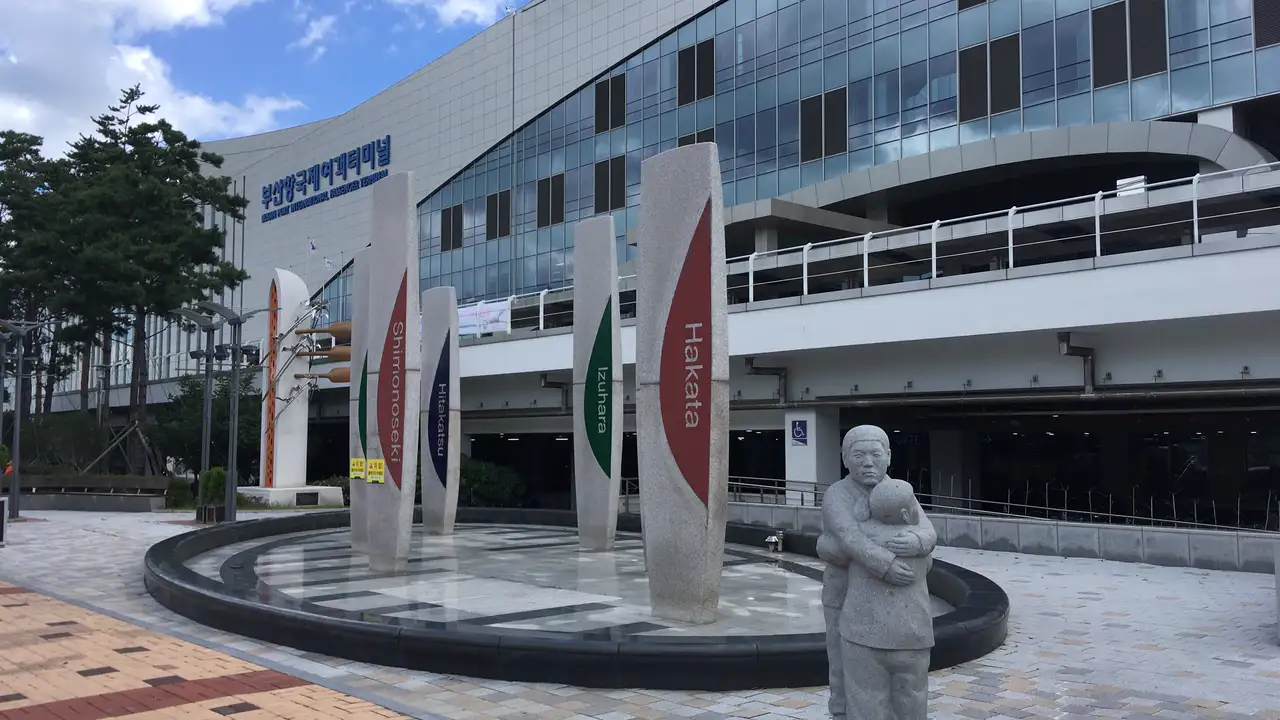
Until you leave Hakata port, your data line is "Japan." The "Korea" line was installed at home before the trip and has been switched off since. Once you are off the boat at Busan Port International Passenger Terminal and through immigration, you go to Settings → Cellular, switch on "Korea," move Cellular Data over to it and turn on its data roaming. Last, you switch off "Japan." By the time you walk out of the terminal onto the plaza, the map app is already showing the way to Busan Station.
Sort your data out before you fly
You keep your SIM and add one data line. Your home number stays on your usual SIM; whether its calls and texts reach you abroad depends on your home carrier's roaming.
See eSIMs by country