Where foreigners can book KTX tickets, and when the seats open
Foreign visitors can book KTX tickets on Korail's English website, in the KORAIL+ app, or at a train station, and since 1 October 2026 seats go on sale at 07:00 Korea time two months before the departure date. The website takes cards issued outside Korea and ties your booking to an e-mail address and password, so you can book from home before you fly. This post is based on Korail's English website, three press releases from Korea's Ministry of Land, Infrastructure and Transport (MOLIT) dated 3 August, 1 September and 20 September 2026, and the KORAIL+ listing on Apple's App Store, all checked on 10 October 2026.
Where can foreigners book KTX tickets?
On korail.com (it has an English section), in the KORAIL+ app, from ticket vending machines, or at a staffed ticket window in a train station. Those are the four places Korail's English ticketing guide lists, with one warning: subway stations don't sell train tickets. Korail's FAQ adds that "other ticketing vendors" also sell them.
- Korail's website for foreigners. The English pages sit under korail.com/global/eng. The language menu also offers Japanese, Simplified and Traditional Chinese, Vietnamese, Thai and Indonesian. MOLIT said on 20 September 2026 that these foreigner pages support 7 languages and that French, German and Mongolian will be added by the end of the year, making 10.
- The KORAIL+ app. MOLIT launched it on 3 August 2026 as the replacement for Korail Talk. If you had Korail Talk, an update turns it into KORAIL+. The App Store lists Korea Railroad Corporation as the seller, offers English, Japanese, Korean, Chinese, Thai and Vietnamese, and says the app books train tickets, tourist trains and KORAIL Passes.
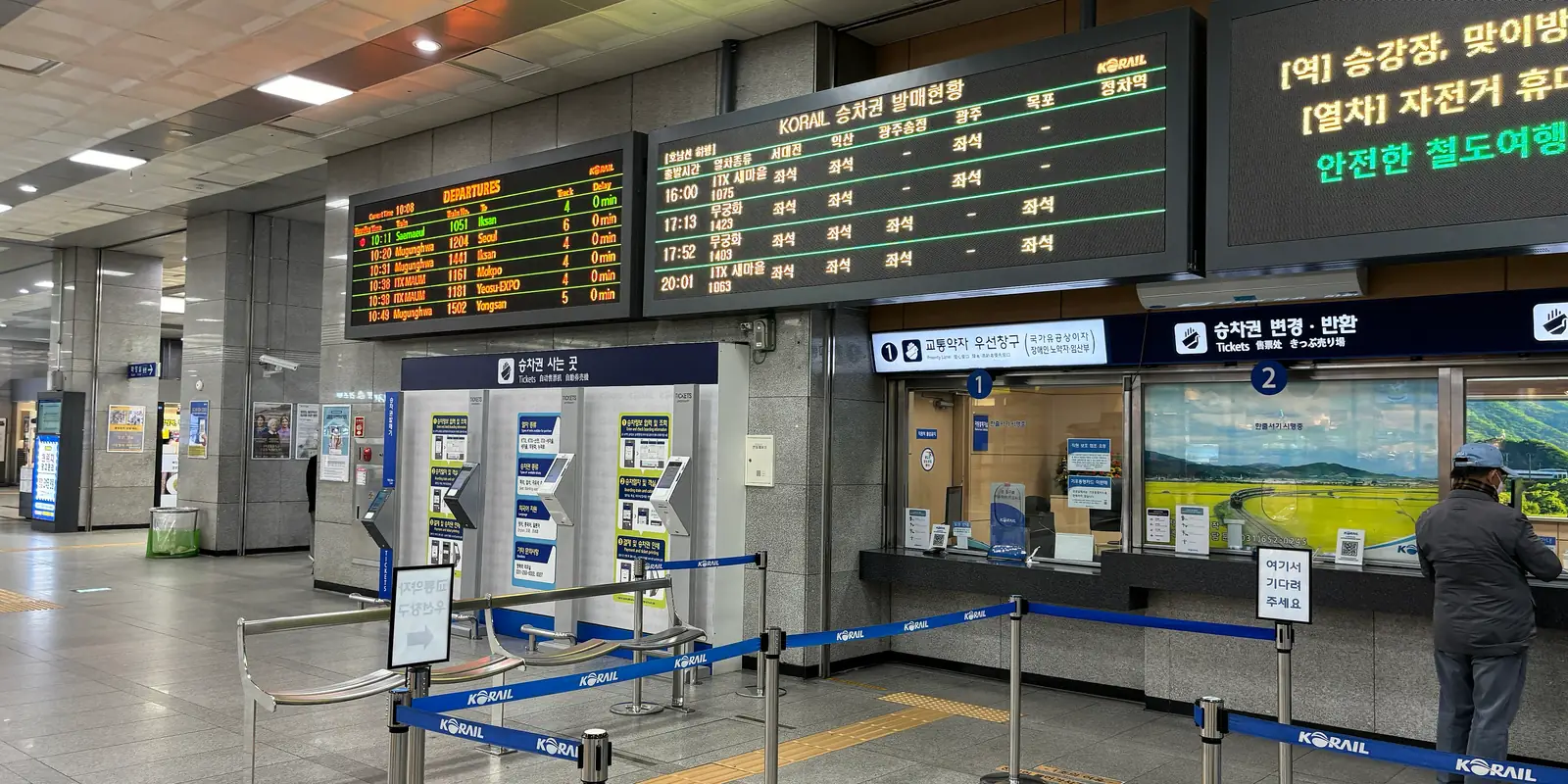
- Stations. Ticket windows sell until departure and vending machines until 10 minutes before departure.
One change matters if you read older guides. Since 1 September 2026, the high-speed trains from Suseo Station that used to be sold separately as SRT run as KTX, and MOLIT says every train can now be searched in one place, the KORAIL+ app. Its August release said the merged trains are sold on KORAIL+ and on the Korail website.
When do KTX tickets go on sale?
At 07:00 Korea time, two months before the departure date. Korail's English guide says: "You can buy tickets from 07:00 two months before your desired departure date." Until 30 September 2026 the window was one month. MOLIT moved it to two months from 1 October 2026 because foreign visitors often buy flights two months ahead but could only book trains one month ahead. It also gave a figure for the demand: 6.69 million foreign passengers used Korea's railways from January to August 2026, 68% more than a year earlier.
07:00 in Korea is 07:00 in Tokyo, 06:00 in Beijing, Taipei, Singapore and Manila, and 22:00 UTC the previous day. Sales close at departure time on the website and at station windows, and 10 minutes before departure at vending machines.
Holidays run on a separate timetable. For Chuseok 2026, Korail's English notice of 14 August set special booking days in early September, said "Membership registration is required" and "Ticket reservations are not available at station counters" during that window, and put remaining seats on general sale from 11 September at 15:00. Before Seollal, the Lunar New Year, check Korail's notices for a similar arrangement.
Can I pay with a foreign credit card, WeChat Pay or Alipay?
Credit cards issued outside Korea, yes: the English booking pages list VISA, MASTER, JCB, AMEX, Diners Club and UnionPay. WeChat Pay and Alipay, not yet. MOLIT's 20 September 2026 release says payment for foreign passengers currently centres on overseas credit cards such as Visa, Mastercard and UnionPay, and that a system to accept WeChat Pay and Alipay is being developed. It gives no launch date.
Card payments are occasionally paused for maintenance. Korail posted a notice that foreign credit card payments would be suspended on 24 August 2026 from 03:00 to 05:00 Korea time, so if a card fails at an odd hour, check the notices before trying a second card.
Korail's English pages don't say which cards station machines take. A December 2025 photo of a ticket machine at Gwangmyeong Station, published on Wikimedia Commons, shows a "Domestic·Overseas Card" label and on-screen buttons for English, Chinese and Japanese. That is one photo at one station, not a Korail statement.
Do I need a Korean phone number or a Korail membership?
Not on Korail's English website on ordinary days. Korail's English guide ties a booking to the e-mail address and password you type at purchase: you confirm a reservation "by entering the e-mail address and password you used when purchasing the ticket", and the guide warns that both are case-sensitive and worth writing down. To look up or reissue a ticket at a station, Korail asks for the e-mail address, credit card number and password you used. The guide doesn't mention a Korean phone number at any step. The exception is a holiday booking period, when Korail's notices require membership.
We couldn't confirm from an official Korail page whether KORAIL+ signs up foreign visitors without a Korean number, or which foreign cards its checkout accepts. The English website is the route Korail documents for overseas cards. The post on life without a Korean number covers other services that do and don't need one.
How much is the KORAIL PASS, and how does it work?
It is a rail pass only for foreign visitors, sold as 2, 3, 4 or 5 travel days chosen within 10 days. Korail's English pass page lists these prices in won:
| Pass | Adult (13+) | Child (6–12) |
|---|---|---|
| 2-day select pass | 131,000 | 66,000 |
| 3-day select pass | 186,000 | 93,000 |
| 4-day select pass | 234,000 | 117,000 |
| 5-day select pass | 275,000 | 138,000 |
One child under 6 travels free with each adult. Korean nationals can't buy the pass. Korail sells it on its website, at stations and through designated sales agencies, and a pass bought from an agency or at a station can only be refunded where it was bought. You need a valid passport and a credit card, and the name and passport number must match your passport exactly, because the pass type, passenger type and personal details can't be changed after purchase.
The rules that trip people up:
- Register each travel day before you board. Korail says pass holders must select their travel dates within 10 days of the pass's start date.
- Seats are optional but limited. You can reserve up to two seats per person per day, and the English page says seat reservations open two months before departure. If seats are sold out, you can ride standing with the pass and your passport.
- Refunds stop on the start date. Cancelling is free until the day before the pass starts, Korea time, and impossible after that. Cancel any seat reservations first.
- Some trains are excluded. The pass doesn't cover the metropolitan railway or temporary tourist trains.
Korail's pass pages were mid-update on 10 October 2026. The booking form still said the start date "can only be set up to one month from today", and the Chinese pass page still listed SRT as not covered, while the English page no longer mentions SRT. If you plan to use the pass on a train from Suseo, ask Korail's customer centre (+82-1599-7777) before you buy.
Whether the pass beats single tickets depends on your legs, so price them on the same site first. MOLIT says KTX fares fell by an average of 10% on 1 September 2026, so a comparison made before then is out of date.
How do I show my ticket on the train?
Show the live ticket on your phone or a printout, never a screenshot. Korail's booking confirmation says "You can board with printed tickets or mobile tickets," and its ticket screen notes: "You cannot use image captures of a ticket." The same screen tells you how to recognise a real one: "A legitimate ticket has this sentence flowing right to left." The pass page says the same for passes and seat tickets: "A screenshot of a train ticket is not valid," while "the screen seen upon entering the website via mobile" is. Pass holders also carry their passport.
Keep the e-mail address and password you booked with somewhere you can reach without data, such as a note on the phone. Together with the card you paid with, they are what Korail asks for if you need help at a station.
When do I need mobile data for a KTX trip?
When you open the ticket, and when plans change on the day. Booking itself can happen on home Wi-Fi two months earlier. The moments that need a connection come later:
- Opening the ticket. A web ticket is a page you open in the browser, and its moving line of text is what marks it as genuine rather than a screenshot.
- Cancelling or switching trains. Korail takes refunds online before the departure time shown on the ticket: on the website for web tickets, in KORAIL+ for mobile tickets. Korail's English guide describes refunds, not changes, so on the English site switching trains means cancelling and booking again. A web ticket can be reissued until 20 minutes before departure. After departure, refunds are only at a station ticket window, and none are possible after the train's scheduled arrival.
- Knowing the fee. Korail charges no cancellation fee on Monday to Thursday trains if you cancel early enough, and a minimum fee on Friday to Sunday and public-holiday trains, rising as departure gets closer.
When korail.com can't load, its own help screen recommends a wired connection or LTE/5G mobile data and warns, in Korean, that Wi-Fi used while on the move can drop the connection. A Kedanto Korea eSIM gives you that mobile data on SK Telecom and LG U+. Where signal gets patchy along the line itself is covered in the subway, KTX and mountains post.
In a taxi stuck on the way to Seoul Station with 25 minutes to go, mobile data is what keeps the ticket flexible: the website still accepts a cancellation until the departure time, and KORAIL+ shows the next train with free seats. Once the train has left without you, the same change needs a ticket window and a bigger fee.
Sort your data out before you fly
You keep your SIM and add one data line. Your home number stays on your usual SIM; whether its calls and texts reach you abroad depends on your home carrier's roaming.
See eSIMs by country