An Incheon Airport SIM and a Korea eSIM differ on phone number, returns and refunds
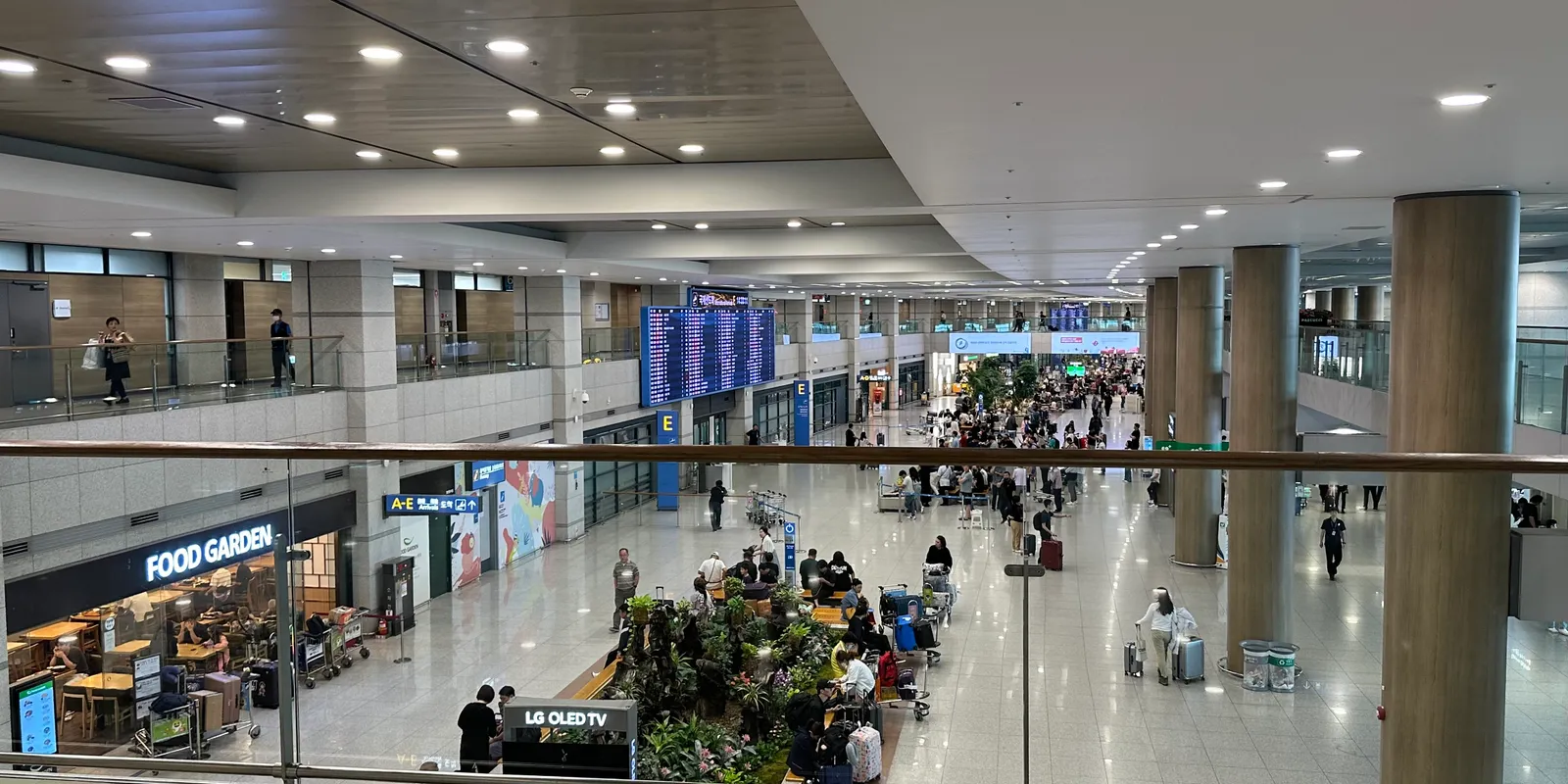
What's the real difference between buying a SIM at the airport and getting an eSIM before you fly?
An airport SIM is a physical card you collect at a counter with your passport after you land. A Kedanto Korea eSIM is a data line that arrives by email and goes onto your phone before you leave home. At Incheon Airport, SK Telecom and LG U+ both sell traveler SIMs that come with a Korean 010 number, calls and texts, and LG U+ says its data-and-voice SIM is sold only at the airport. Every Kedanto Korea eSIM is data-only, with no number and no SMS, and the install QR code is emailed as soon as you pay. So before prices even come into it, three questions decide the choice: do you need a Korean number, can your home SIM come out of your phone, and do you want a counter stop after landing? The airport and carrier details in this post were checked on their official websites on 14 September 2026.
Where are the roaming centers at Incheon Airport, and when are they open?
Both terminals have 24-hour roaming centers for KT, SK Telecom and LG U+ on the first floor, where the arrivals halls are. These are the first-floor counters listed in Incheon International Airport's official facility guide (checked 14 September 2026):
| Terminal | First-floor location | Hours |
|---|---|---|
| Terminal 1 | Near Arrival Hall F, west side: KT, SK Telecom, LG U+ | 24 hours |
| Terminal 1 | Near Arrival Hall A, east side: KT, SK Telecom, LG U+ | 06:00–22:00 |
| Terminal 1 | Near Arrival Hall F, west side: Wifi dosirak | 06:00–22:00 |
| Terminal 2 | Near Exit 4: KT, LG U+ / near Exit 7: SK Telecom | 24 hours |
| Terminal 2 | Near Exit 7: LG U+ | 06:00–22:00 |
| Terminal 2 | Near Exit 3: Wifi dosirak | 06:00–22:00 |
The carriers' own websites describe the counters differently. LG U+ lists its Terminal 2 counters by gate numbers 3, 8 and 1, and says its hours are "subject to change depending on international flight schedules." If your flight lands after midnight, plan your route around the 24-hour counters.
What do I need to bring to the counter?
Bring your passport. SK Telecom hands over a SIM with calls and texts only after checking your identity at the airport roaming center. SK Telecom's terms name the passport as the ID for its voice-and-text SIMs and eSIMs. The same page says those products are for foreigners only and can't be bought with a Korean passport. LG U+ sells up to 3 SIM cards per passport. It also says you can walk up to a counter on the day you arrive without a booking, though booking ahead comes with extra benefits. None of the official pages we checked from either company gave a waiting time at the counter. What's certain is that it adds one more step after immigration and baggage claim.
How do an airport SIM, a pocket Wi-Fi and a Kedanto eSIM compare side by side?
| Airport carrier SIM | Pocket Wi-Fi rental | Kedanto Korea eSIM | |
|---|---|---|---|
| Where and when | Airport roaming center, after landing | Airport roaming center, after landing | By email (QR code), right after payment |
| What you show | Passport | Passport and a credit card in your name | An email address |
| Korean 010 number | Voice-and-text plans only | No | No |
| Your home SIM | Comes out if the phone has one slot | Stays in | Stays in |
| Return | Nothing to return | Before you leave Korea | Nothing to return |
| Example price | LG U+ data-only, 5 days, ₩27,500 | Paid when you return it | 1GB a day for 5 days ₩8,900 ($6.60); 5GB total ₩6,900 ($5.12) |
The price row isn't like for like. The LG U+ data-only SIM is unlimited, "without any speed limits or throttling," and costs ₩6,500 for 1 day or ₩18,000 for 3 days. Kedanto's 5-day plan slows down once the day's 1GB is used, and the 5GB plan is spread over up to 30 days. LG U+ and SK Telecom both process payments in Korean won. Kedanto's prices are given here in won too, followed by the US dollar price its English pages show, because PayPal charges in USD. If you mostly use maps and messaging, unlimited data is often more than you need, so work out your trip in how many GB you need. We couldn't confirm KT's prices on its official English site, and we couldn't pin down a pocket Wi-Fi rental rate on the carriers' official pages either.
Should I get an airport SIM if I need a Korean 010 number?
Yes, if restaurant or taxi booking apps need to text a code to a Korean number. LG U+ says its voice-and-SMS service passes "SMS verification for restaurant and taxi reservation apps." It also says "Identity Verification for banking or government services is not supported," and that data-only plans can't do SMS verification at all. A Kedanto eSIM can't receive those codes. The airport SIM isn't the only way to get a number, though. SK Telecom says that if you buy its data, call and SMS eSIM online, you can verify your passport at an airport roaming center or through the voucher sent to your email. What works in Korea without a Korean number, and what doesn't, is in a separate post.
Do I have to take my home SIM out of my phone?
On a phone with a single SIM slot, your home SIM sits outside the phone for as long as the airport SIM is in. An eSIM adds a data line while your home SIM stays put. Once the home SIM is out, calls and verification texts to your usual number stop reaching you along with it. With a Kedanto Korea eSIM, calls and texts to your usual number keep arriving on the SIM you already have. Phones with two nano-SIM slots, like some iPhones sold in Hong Kong and Macao, can hold both cards. Some phones have no slot at all. Apple's SIM-type page (published 13 July 2026, checked 14 September 2026) lists as eSIM-only the iPhone 14, 15 and 16 series and iPhone 16e bought in the US, and the iPhone 17, 17e, 17 Pro, 17 Pro Max and Air bought in the US, Canada, Mexico, Japan and several other countries. An airport SIM simply won't go into those phones. For eSIM support and carrier locks, see what to check on your phone before you buy.
When and where does a pocket Wi-Fi have to go back?
A pocket Wi-Fi is rented, so it goes back to an airport counter before you fly out, and that's when you pay. LG U+ says "the device must be returned before your departure" and that "rental fees will accrue daily until the device is returned." You can return it to any LG U+ center at Incheon, Gimpo or Gimhae airport, even if you rented it somewhere else. Renting on the spot takes a passport and a credit card in the same name as the passport, and you pay in cash or by card when you return it. SK Telecom's terms likewise have you return the device and settle the fee at its roaming center. They require a credit card as a deposit and don't accept debit or check cards. A SIM or an eSIM has nothing to return.
The trade-off for the return trip is that a pocket Wi-Fi never puts a line on your phone. Your phone just joins its Wi-Fi network. That makes it the option left if your phone is still locked to your home carrier. LG U+ says its SIM works with most unlocked phones, and asks anyone whose phone is locked to contact their carrier and unlock it before arriving in Korea.
Can I get my money back if I don't use it?
A Kedanto Korea eSIM is fully refundable until you install it. SK Telecom's terms don't allow refund requests for its traveler SIMs and eSIMs unless a device lock keeps the service from working. Even then, SK Telecom doesn't refund once 30 days have passed since purchase. We couldn't find refund terms for the SIM on LG U+'s English SIM page. Kedanto's refund policy, whose Korean text is the binding version, gives a full refund even after the QR code is issued, as long as the supplier confirms the eSIM hasn't been installed, and no refund once it's installed, even if it hasn't been activated yet. If your plans might still change, hold off on scanning the QR code until your travel dates are firm, then install it before you fly, over Wi-Fi. Until you install it, you're still within the refund terms.
Which option fits which traveler?
Go to the airport counter if you need a Korean number or your phone has no eSIM. Rent a pocket Wi-Fi if your phone is carrier-locked. Get an eSIM before you fly if you have an unlocked eSIM phone and only need data.
- Airport carrier SIM: you need a 010 number for restaurant or taxi app verification, your phone has no eSIM, or you want unlimited data with no speed cap
- Pocket Wi-Fi: you couldn't get your phone unlocked before the trip, and you can stop at an airport counter on your way out to return it
- Kedanto Korea eSIM: you want to keep your home SIM in and get texts on your usual number, open a map the moment you land without a counter stop, and keep the option of a refund until you install it
If your flight reaches Terminal 2 after midnight, make this choice before you board. If your trip needs a 010 number, have your passport ready and head for the 24-hour counters near Exits 4 and 7. If it doesn't, switch on the eSIM line you installed at home and walk straight on toward the airport railroad. When to install it is covered in why to install before you land.
Sort your data out before you fly
You keep your SIM and add one data line. Your home number stays on your usual SIM; whether its calls and texts reach you abroad depends on your home carrier's roaming.
See eSIMs by countryRead next
- Your first 30 minutes in Korea: a checklist from airplane mode to the airport railroad gates
- Leaving Korea? Don't delete your eSIM. Switch your data line back first
- Can you buy a Korea eSIM after you land? Yes, on airport Wi-Fi, if three things are in place
- When your Korean eSIM data runs out: daily plans slow down, total plans stop